Kurdo Client

The Minecraft launcher in the colors of Kurdistan, made to satisfy you. Shaders & resource packs in one click.

Download for Windows

or via GitHub

Windows shows “Windows protected your PC”? That's normal: click More info then Run anyway.

Kurdo Client launcher

Shaders & resource packs in one click

The whole Modrinth catalog inside the launcher: Complementary, BSL, Faithful… One click and it's installed.

Kurdo in-game menu

Right Shift: zoom, FPS, coordinates, fullbright, keystrokes, CPS, armor… placed wherever you want.

Performance mode

Sodium, Lithium and other optimizations installed for you: more FPS, nothing to tweak.

Every version

From old versions to the very latest, Java installs itself.

Automatic updates

Updates install themselves when you start the launcher, no need to reinstall.

In game

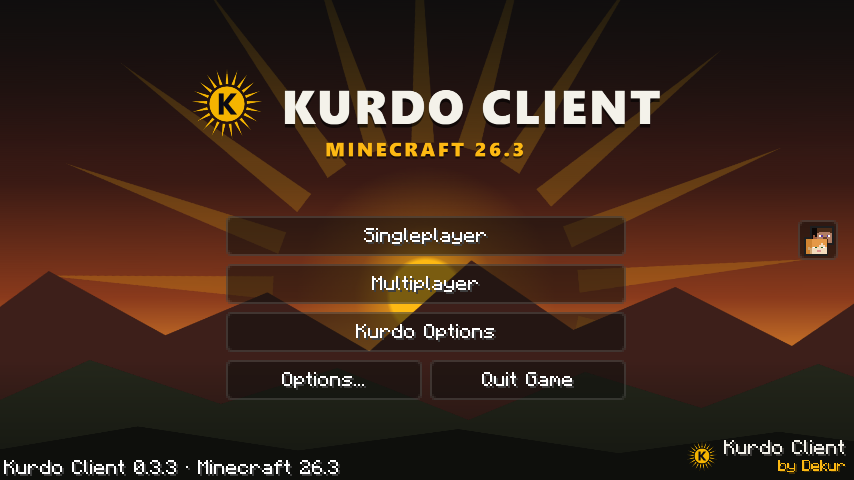
An animated title screen, dark menus in the colors of the flag and the Kurdo menu one Right Shift away.

Kurdo Client title screen in Minecraft

Frequently asked questions

Windows shows “Windows protected your PC”, is that normal?

Yes. Kurdo Client is a small project without a paid certificate, so Windows doesn't know it yet. Click More info then Run anyway.

Do I need to own Minecraft?

Yes, you need a Microsoft account that owns Minecraft Java Edition. Once it's added, an offline mode unlocks for singleplayer or offline-mode servers.

Are my worlds and settings kept during updates?

Yes, launcher updates never touch your worlds, accounts, shaders or resource packs.

Is it free?

Yes, completely.

Join the community

Bugs, ideas, screenshots of your best shaders: it all happens on Discord.

Join the Discord